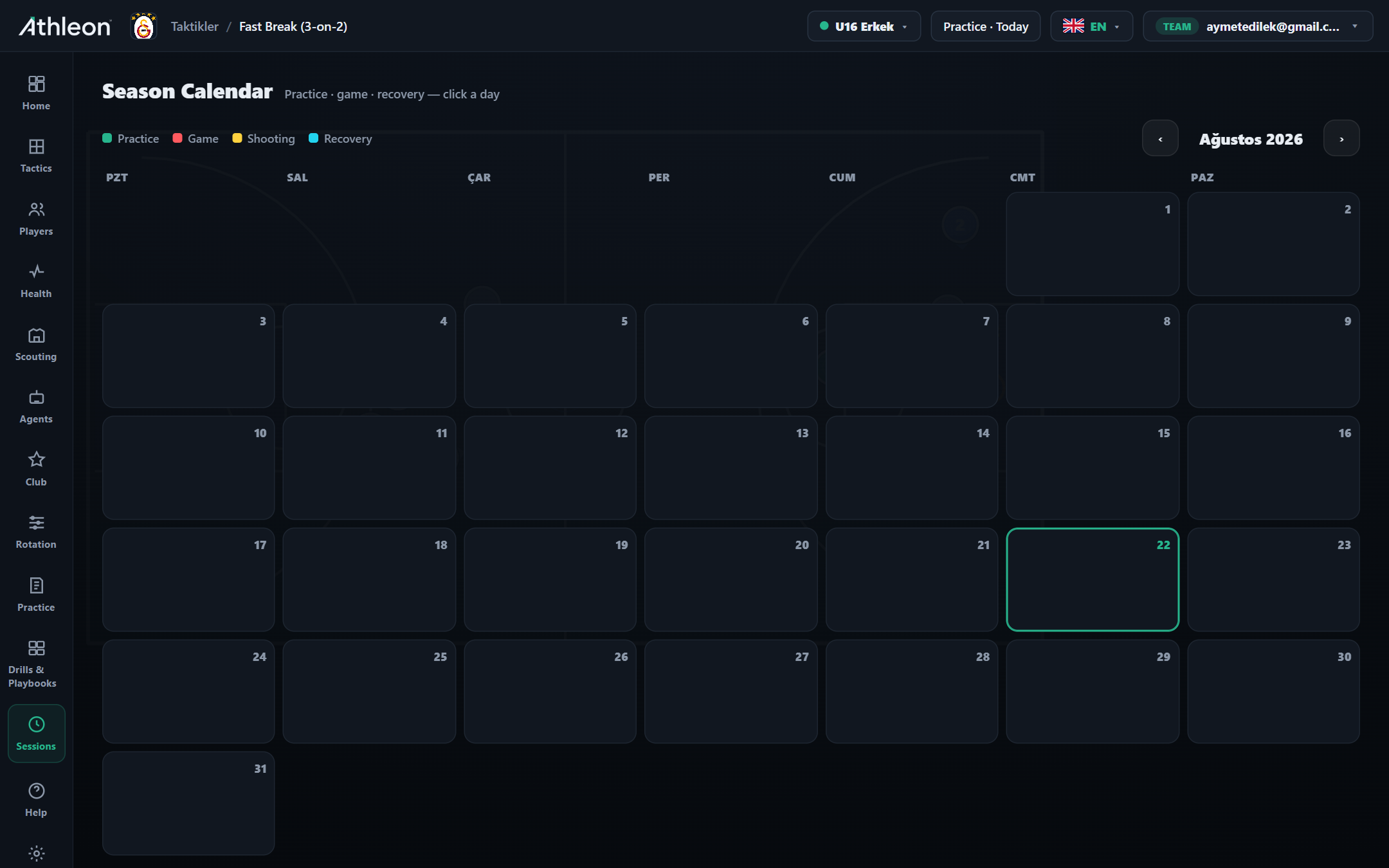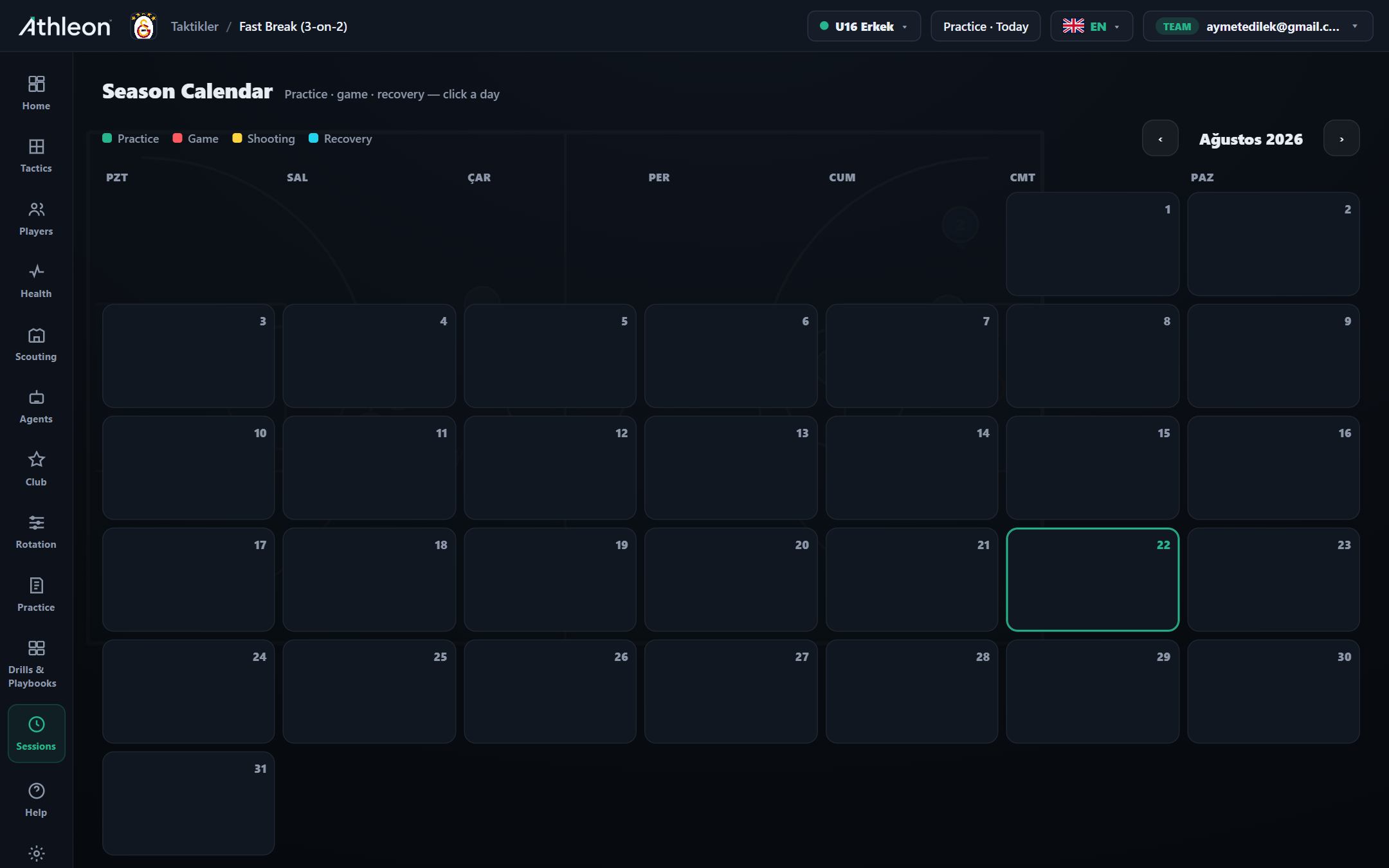
Season Calendar

Plan practice, games, recovery and shooting days in a single monthly view; click a day and add a session in seconds. See the season flow at a glance with color codes, share and export the plan.

4
Session Types
12 ay
Full-Season View
1 tık
Plan a Day
PDF · iCal
Export
Season Calendar

Season Calendar

Plan practice, games, recovery and shooting days in a single monthly view; click a day and add a session in seconds. See the season flow at a glance with color codes, share and export the plan.

  • Practice · game · recovery · shooting
  • Click a day, add a session
  • Monthly view and export

Start Free

Colour-coded load management — read your season at a glance
Sezon Görünümü

Colour-coded load management — read your season at a glance

Heavy, medium and light weeks emerge instantly from the colour distribution. Flag back-to-back fixtures, front-load recovery days in heavy weeks and keep every game visible in a single view without a spreadsheet. Once load is visual, balance becomes easy.

Club-wide coordination — every team, one platform
Club Coordination

Club-wide coordination — every team, one platform

Senior team, B-team and academy share one Athleon account. Each runs on its own calendar so gym conflicts drop to zero. Administrators, assistant coaches and staff access only what is relevant to them.

How it works

Step by step

1

Open the calendar

See the full season in monthly view. Navigate to previous and next months with arrow buttons; today is highlighted.

2

Click a day and add a session

Click any calendar square; select Practice, Game, Shooting Day or Recovery. Add an optional note and save.

3

Read the color distribution

The balance of green (practice) and orange (game) blocks per week shows the load. Add recovery days to heavy weeks.

4

Export and share

Print the monthly calendar as PDF or export as iCal. Share with your assistant coach and team administration.

Capabilities

Power in every detail

4 session types

Practice (green), Game (orange), Shooting Day (yellow) and Recovery (blue) — colors show load at a glance.

Click a day & add

Click any day; select session type and save. The calendar updates in seconds.

Share & export

Export the monthly plan as PDF or iCal; share with assistant coaches and administration.

Load balance analysis

Read heavy and light weeks from the color distribution; add recovery days to balance the load.

Multiple teams

Manage senior, B-team and youth calendars separately; spot gym conflicts in advance.

Inside the app

Every detail at your fingertips

p
p
e
e
How it works in practice

Real-world use cases

Scenario

Load distribution at season start

Map every game and practice week from October to March into the calendar. Front-load recovery days in heavy weeks; see the balance at a glance.

Scenario

Tournament-week management

Fit three games, two practices and a recovery day into the same week. Color blocks show conflicts instantly; share the plan to the team group.

Scenario

Shared club calendar

Keep academy and senior-team calendars side by side. Spot gym-time conflicts in advance, send the exported plan to your assistant coach in one click.

FAQ

Frequently asked questions

Does the calendar sync with other apps?

Yes. The iCal export works seamlessly with Google Calendar, Apple Calendar and Microsoft Outlook — games and practices appear in your chosen calendar app.

Can I manage multiple team calendars?

Yes. Each team gets its own independent calendar within the same club account. Spot gym conflicts before they happen.

Can players see the calendar?

Players on the Club plan see their own calendar in the mobile app: game dates, practice times and attendance notifications.

Can I access past-season calendars?

Yes. Past-season calendars are archived in Athleon. Convert a successful season plan into a template and reuse it in future seasons by updating only the dates.

Ready to take your club to the next level?

Try Athleon free — draw tactics, manage your roster, plan practice and track the full season on one platform.

Start Free