Video Analysis

Upload your game footage; AI detects players and ball automatically, generating heat maps and shot charts. Link the clip to the tactics studio, draw over it and save to your playbook — real games into real playbooks.

AI
Auto Detection
4
YOLO Model
Court Standard
Clip Sharing
Video Analysis

Video Analysis

Upload your game footage; AI detects players and ball automatically, generating heat maps and shot charts. Link the clip to the tactics studio, draw over it and save to your playbook — real games into real playbooks.

  • AI player & ball detection
  • Heat map & shot chart
  • Clip library
  • Turn games into your playbook

Start Free

Heat map & shot chart — spot the defensive gap from data
Isı & Çekim Analizi

Heat map & shot chart — spot the defensive gap from data

Turn every second your team or opponent spent on the court into a heat map; chart shots zone by zone. Defensive adjustments based on data, not intuition — from game footage in minutes.

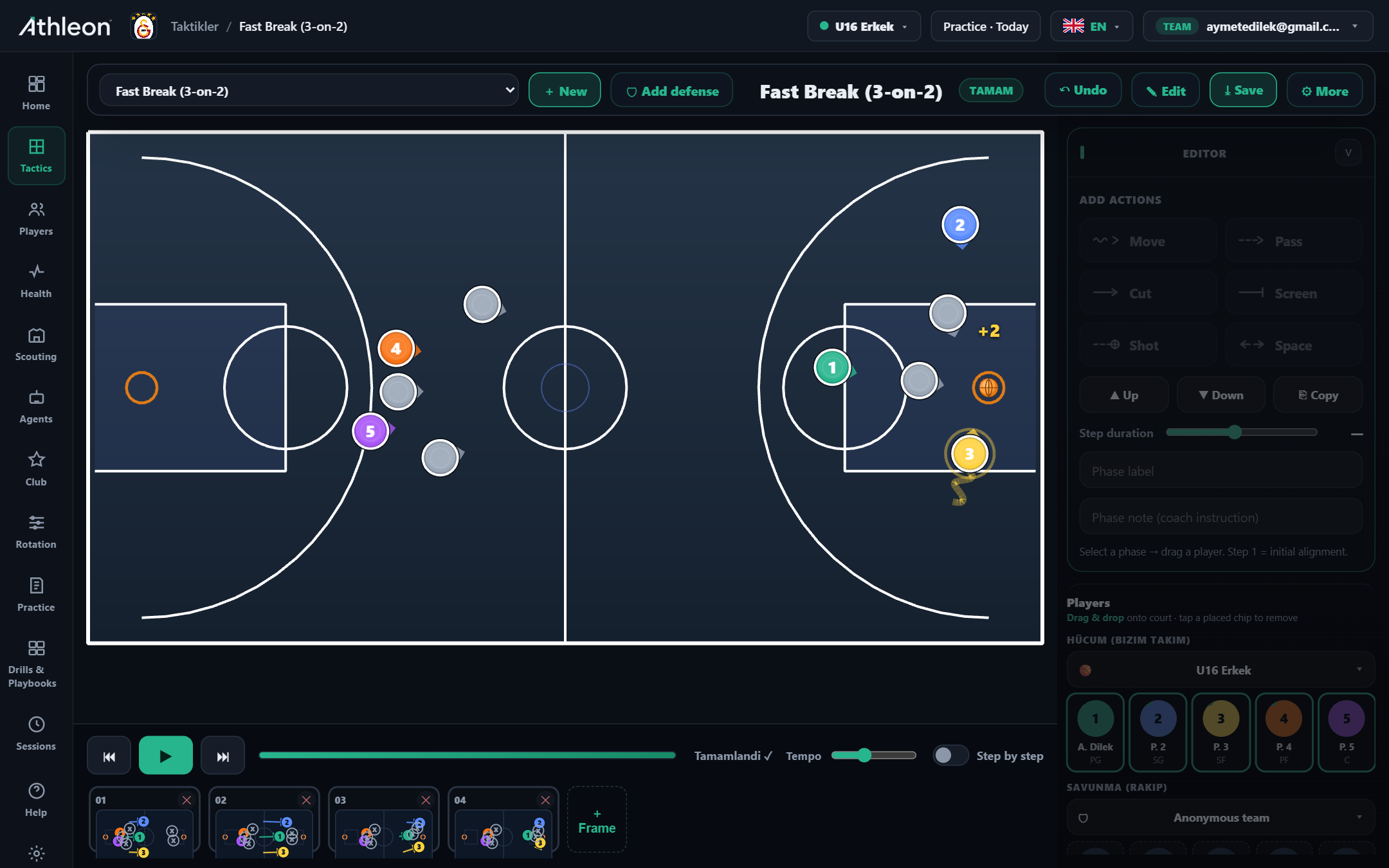
From match clip to playbook — bring the real game into your tactics studio
Sahadan Playbook'a

From match clip to playbook — bring the real game into your tactics studio

Open the match clip; pause on the meaningful possession, draw arrows, zones and player labels over it. Press "Save" to your playbook in the tactics studio — from court to drawing board in one minute. Players watch the same animation on their phones; briefing doesn't wait for the court.

How it works

Step by step

1

Upload video

Upload your game video and select the court: FIBA, NBA, NCAA or Youth/Mini. CPU or GPU analysis starts based on your model choice.

2

Select model

Nano (speed), Small, Medium or XLarge (accuracy). Fast analysis on CPU; peak precision on GPU. Choose to match your time budget.

3

Review the maps

View heat maps and shot charts by team or individual player. Identify defensive gaps and effective shooting zones.

4

Share

Share the clip, map or full analysis with players or your assistant coach. Briefing is complete without leaving the platform.

Capabilities

Power in every detail

Clip Library

Categorise, label and carry match clips across seasons. Build a development archive by accumulating key moments.

Heat Map

Automatically visualise where each player or team spent time and moved on the court during the game.

Shot Chart

Map shots by zone; analyse effective areas, open-shot percentages and defensive gaps.

AI Player Detection

4 models from Nano to XLarge: fast CPU analysis or full GPU precision. Who was where on the court — data-backed.

Video Overlay Drawing

Add tactical drawings over clips, place arrows and zone markers; explain your analysis to players with animation.

Instant Share

Send a clip or heat map to players in one click. Move post-game briefings from the court to the platform.

YOLOv8-based detection

Nano, Small, Medium and XLarge models — full flexibility from CPU to GPU.

Court standards

FIBA 28×15, NBA 28.65×15.24, NCAA 28.65×15.24 and Youth/Mini 26×14 are supported.

Flexible analysis depth

First ~150 frames (Fast), medium ~400 frames or full clip — set your own time and resource budget.

Secure storage

Videos and analysis results stored on encrypted servers, visible only to the authorised coach account.

Inside the app

Every detail at your fingertips

Video Analysis page
Video Analysis page
Player metrics
Player metrics
How it works in practice

Real-world use cases

Scenario

Post-game briefing

Upload footage 30 minutes after the game; AI analysis complete — share the heat map with players. Concrete footage instead of abstract criticism.

Scenario

Opponent shot analysis

Pull the opponent's shot chart, mark open zones and adjust your defensive plan accordingly. Defensive decisions backed by data.

FAQ

Frequently asked questions

What video formats are supported?

MP4 and common video formats are supported. Optimised for FIBA, NBA, NCAA and Youth court standards.

How accurate is AI detection?

XLarge model on GPU delivers industry-standard accuracy. Nano model runs fast on CPU — ideal for a quick briefing.

What hardware is required?

Any computer suffices for basic analysis (Nano model). For GPU-assisted full analysis it integrates with Athleon Motion-360 Pro.

Can I share videos with my players?

Yes. You can send clips and analysis summaries directly to players on the platform. Players watch on their own devices — no extra app required.

Ready to take your club to the next level?

Try Athleon free — draw tactics, manage your roster, plan practice and track the full season on one platform.

Start Free